Pixelate an Image Online
Use this free pixelate tool to turn part of a photo, or the whole thing, into large square blocks of color. Pixelating is a quick way to censor a face, a license plate or a name before you share a picture, and it works right in your browser: your photo is never uploaded.
Pixelate Part of an Image, or All of It
Drag the box over the area you want to hide, such as a face in a crowd or a house number, and only that area is pixelated. To pixelate the entire picture for a retro, pixel-art look, turn on Whole image.
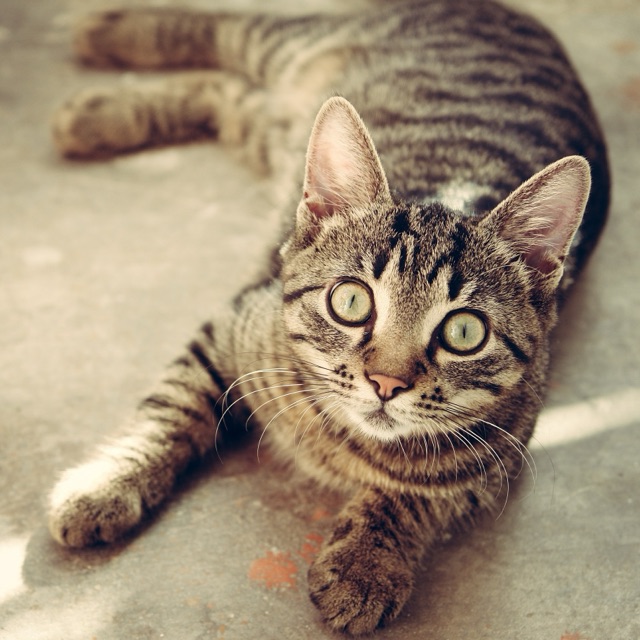
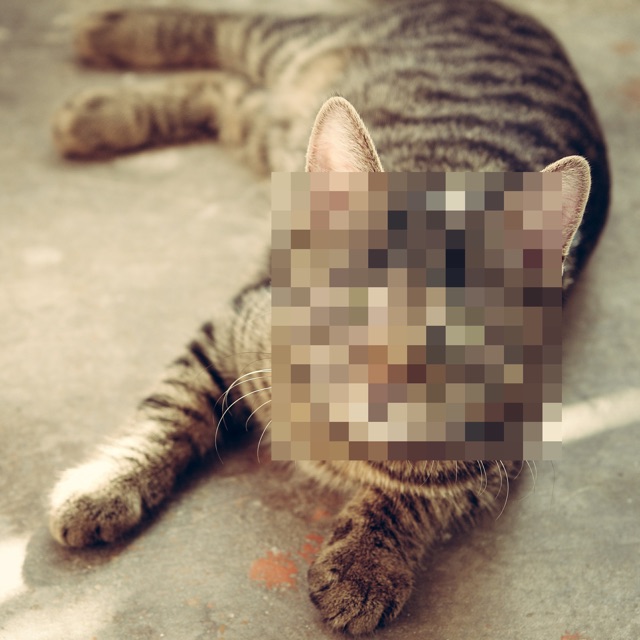
How to Pixelate an Image
- Scroll up and choose your photo, or drag and drop it onto the upload button.
- Drag the box, and its corners, to cover the area you want to pixelate. Or turn on Whole image.
- Set the Block size: bigger blocks hide more detail.
- Click Done, then download your image as a JPG or PNG.
Need to pixelate more than one area? Do one area at a time: after you click Done, choose Pixelate Another Region on the download page and cover the next one.
Is Pixelation Safe for Hiding Text?
For faces and backgrounds, large blocks work well. For text, be careful: pixelated or blurred text can sometimes be partly recovered, especially with small blocks. To hide passwords, account numbers or addresses, use a solid box instead with the censor tool, which removes the text completely.
Pixelate, Blur or Black Box?
- Pixelate hides detail while making it obvious that something was hidden.
- Blur is softer and blends into the photo, good for backgrounds and faces.
- Black box is the safest way to censor sensitive text.
You can switch between all three in the editor, so you can compare them on your own photo.
Private by Design
Photos you pixelate often contain things you want to keep private, so this tool never uploads them. Everything happens in your browser, and there's no account to create.