Print an Image Across Multiple Pages
Want a poster but only have a regular printer? This free poster maker spreads your photo across as many sheets of paper as you like. Print them, trim the margins, and tape them together into one big picture. You get a PDF that's ready to print, and your photo is never uploaded.
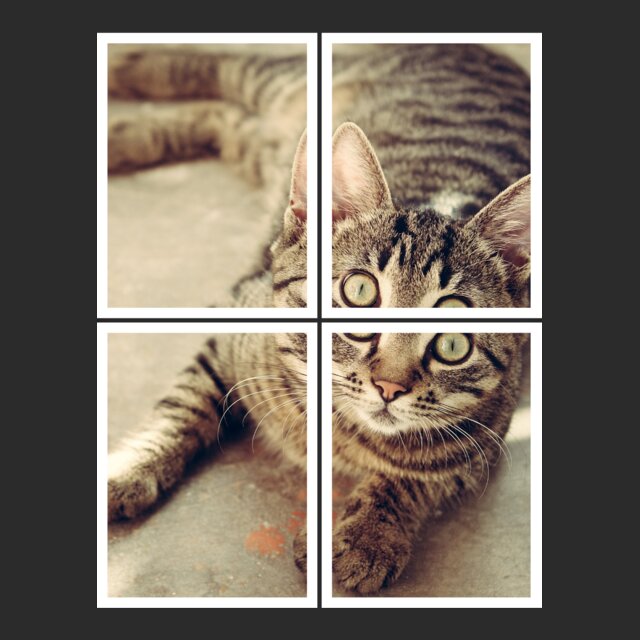
How to Make a Poster from a Photo
- Scroll up and choose your photo, or drag and drop it onto the upload button.
- Choose your paper size (Letter, A4, Legal, Tabloid or A3) and orientation.
- Set how many pages across the poster should be. The tool works out how many rows it needs and shows the finished size.
- Click Done, then download the PDF.
- Print it at Actual size (100%). "Fit to page" would shrink each page, and the pieces wouldn't line up.
Putting the Pages Together
Every page has a white margin, because most printers can't print to the edge of the paper. Small gray marks show where the picture starts, and the bottom of each page says where it goes ("row 1, column 2").
- Cut the white margin off the left and top of each page, along the marks.
- Lay each page over its neighbor so the picture lines up. With Overlap edges on (the default), neighboring pages share a quarter inch of the picture, so a slightly crooked cut won't leave a gap.
- Tape the pages together from the back, or glue them onto poster board.
How Big Can I Print?
As big as you like, up to 10 pages across. But a bigger poster spreads the same pixels over more paper. The editor tells you if your photo will look blurry up close: below about 100 pixels per inch, choose fewer pages. A 12-megapixel phone photo stays sharp up to about 5 Letter pages across (3 feet wide).
Ideas
- Wall posters and banners for parties, classrooms and events.
- Large photo prints without paying for a print shop.
- Murals, stencils and patterns: print a design at full size and trace it.
- Big maps, charts and diagrams that are hard to read on one page.
To cut a photo into pieces for Instagram or a puzzle instead, use the image splitter.
Private by Design
The PDF is made right in your browser. Your photo isn't uploaded anywhere, and there's no account to create.