Split an Image into Pieces
This free image splitter cuts a photo into equal pieces: two halves, four quarters, a 3x3 grid, or any number of rows and columns up to 20 × 20. You get every piece as its own image, ready to post or print, in one ZIP file. It all happens in your browser, so your photo is never uploaded.
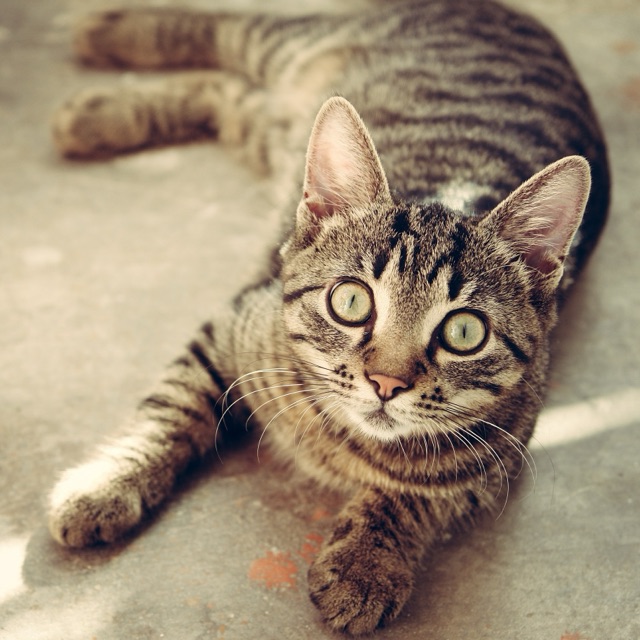
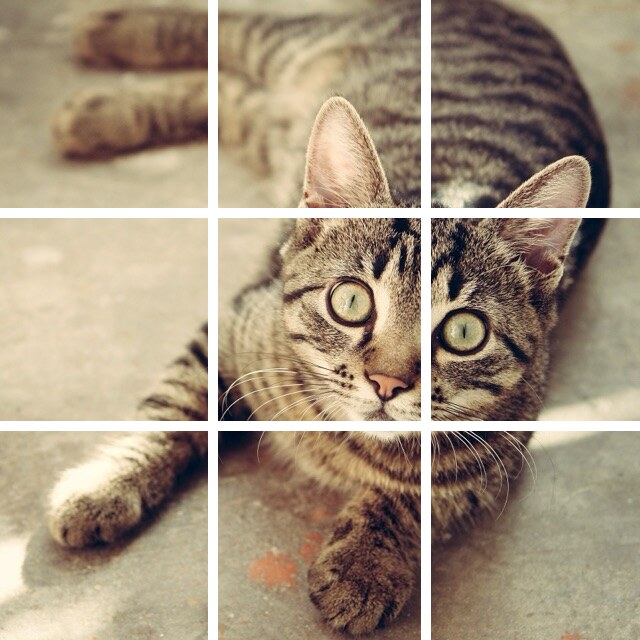
How to Split an Image
- Scroll up and choose your photo, or drag and drop it onto the upload button.
- Set the number of Columns and Rows. The lines on your photo show where it will be cut.
- Pick a Piece Shape if every piece needs to be square or a set shape (see below), or keep Original to use the whole photo.
- Click Done, then download all the pieces as a ZIP of PNG or JPG files. On a phone you can save them straight to your photos instead.
Split a Photo for an Instagram Grid
A grid post spreads one big picture across several posts, so your profile shows the whole image. Instagram's profile grid is three columns wide, so split your photo into 3 columns and 1, 2 or 3 rows.
Instagram now shows posts on your profile as 3:4 rectangles, cropping anything else. Choose the 3:4 piece shape and the pieces line up with no gaps. The tool crops your photo from the center to fit.
Post the pieces in reverse order, starting with the last one (bottom right) and finishing with piece 1, because your newest post appears first.
Split a Panorama into a Carousel
For a carousel that you swipe across like one wide picture, split your photo into 1 row and as many columns as you want slides. Choose the 4:5 or 1:1 piece shape so each slide fills the post.
Other Ways to Use It
- Split an image in half, vertically (2 columns, 1 row) or horizontally (1 column, 2 rows).
- Split an image into 4 equal quarters (2 columns, 2 rows).
- Cut up a sheet of stickers, icons, sprites or AI-generated images that come in a grid.
- Make a puzzle for a classroom or game by cutting a picture into many small pieces.
Want to print a photo bigger than one sheet of paper? The poster maker splits it into printable pages with cut marks. Want lines drawn over your photo instead of separate pieces? Try the grid overlay tool.
Private by Design
Your photo is split right in your browser. Nothing is uploaded to a server, and there's no account to create.