Convert an Image to Black and White
This free black and white photo editor takes the color out of any picture in one click. Choose a photo above and you'll see it in black and white straight away; adjust the contrast if you like, then download it as a JPG or PNG. It all happens in your browser, so your photo is never uploaded.
Grayscale or Pure Black and White?
"Black and white" can mean two different things, and the editor does both:

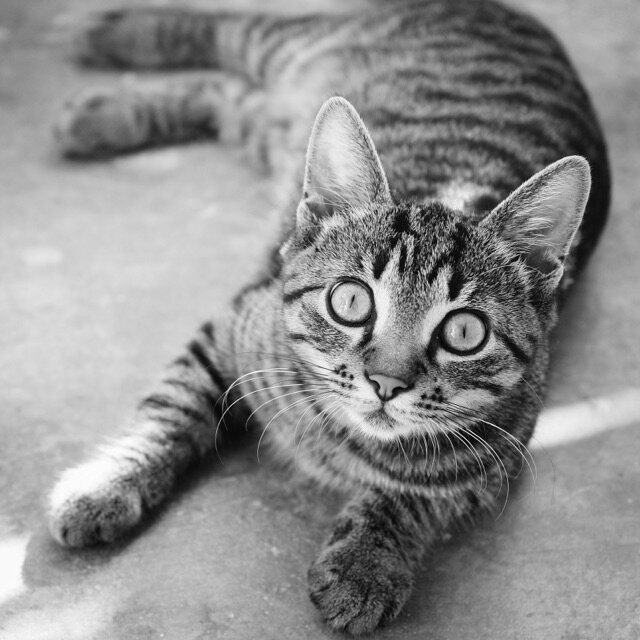
- Grayscale is what most people mean by a black and white photo: every color becomes a shade of gray, from black to white. Use it for portraits, old-fashioned looks, or to make a busy, colorful scene calmer.
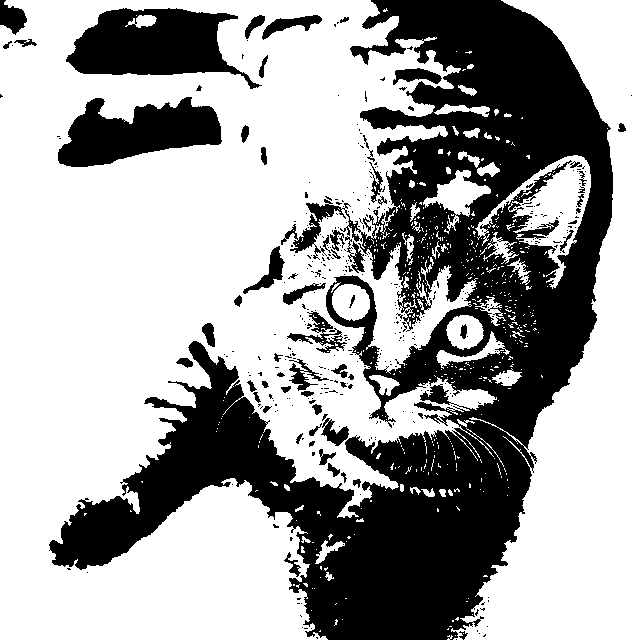
- Pure black and white keeps only two colors. Each pixel turns black or white depending on how bright it is, like a stencil or a photocopy. Use it for scanned documents and signatures, logos, line drawings, or anything you want to print, cut or engrave.
How to Make a Photo Black and White
- Scroll up and choose your photo, or drag and drop it onto the upload button. You can also try one of the sample cats.
- Pick Grayscale or Pure black & white.
- For grayscale, set the Contrast: above 100% makes darks darker and lights lighter, for a more dramatic photo. For pure black and white, set the Threshold: lower it to turn more of the picture white, raise it to turn more of it black.
- Click Done, then download your image as a JPG or PNG.
Why Do Some Colors Turn Darker Than Others?
The editor doesn't just average red, green and blue. It weighs them the way your eyes do: green looks much brighter to us than red, and red brighter than blue. So a green leaf turns light gray, while a blue sky of the same strength turns darker. That's why the result looks natural, instead of flat.
If two colors that looked different end up as the same gray, raise the contrast to pull them apart.
Tips for Better Black and White Photos
- Look for light and shape, not color. Photos with strong shadows, textures and clear outlines usually look best without color.
- Fix the exposure first. If the photo is too dark, brighten it with the brightness tool before converting.
- Add a frame of shadow. A dark vignette around the edges suits black and white portraits.
- Cleaning up a scan? Use pure black and white to turn a gray, shadowy photo of a document into crisp black text on white, then crop away the edges.
Private by Design
Your photo stays on your device: the conversion runs in your browser, with no upload, no account and no watermark.